
An iPhone battery that drains overnight can be annoying, especially when you go to bed with enough charge and wake up to a phone that is almost dead. You did not use it. You were sleeping. The phone had one job. And somehow, it still woke up tired.
Overnight battery drain does not always mean the battery needs to be replaced. Sometimes the issue is caused by background apps, iCloud activity, location services, poor signal, software updates, notifications, Bluetooth accessories, or settings that keep working while the phone is locked. Other times, it can point to an aging battery, poor battery health, charging problems, liquid damage, or a power-related hardware issue.
This guide explains why your iPhone battery may drain overnight, how to check what is using the battery, what signs suggest the battery may be failing, and when replacement may be the right move. If your iPhone no longer holds charge properly, Profix Cell provides professional iPhone repair in Toronto, including battery replacement, charging issues, water damage checks, and power-related diagnostics.
Common Signs of an iPhone Battery Drain Problem
Battery drain can show up in different ways. Some people notice the phone loses 10% overnight. Others wake up to a phone that dropped from 70% to 5%. The amount of drain matters, but the pattern matters even more.
| What You Notice | What It Could Mean |
|---|---|
| The battery drops a little overnight | May be normal if background activity, notifications, or weak signal are active |
| The battery drops 20% to 40% overnight | Possible app activity, software issue, poor signal, or battery health problem |
| The phone is almost dead by morning | Possible failing battery, app drain, charging issue, or internal power issue |
| The iPhone gets warm while idle | Possible background process, update activity, app issue, or hardware problem |
| The battery percentage jumps around | Possible battery health, battery reporting, or internal power issue |
| The battery health says service is recommended | The battery may have degraded and may need replacement |
If the battery drains heavily one night after an iOS update, photo sync, or backup, it may be temporary. If it happens every night, even when the phone is barely being used, it is worth checking deeper.
First: Check What Is Using the Battery
Before replacing the battery, check the Battery section in Settings. Apple explains that iPhone Battery settings can show how much battery each app uses and may show insights about activity that affects battery life. You can review Apple’s guidance here: Check battery usage on your iPhone.
To check battery usage:
- Open Settings.
- Tap Battery.
- Review battery usage by app.
- Look at activity over the last 24 hours and last 10 days.
- Watch for apps with high background activity.
This is where you may find the obvious culprit. A social app, email app, maps app, streaming app, or backup process may be working in the background while the phone is locked. If one app used a large amount of battery overnight, the battery may not be the main problem.
What to Look For
- An app with unusually high background activity.
- Long screen-off usage.
- Recent iOS update activity.
- Photos, iCloud, or backup activity.
- Apps using location overnight.
- Battery Insights explaining temporary drain.
If Battery settings show that one app is responsible, try updating that app, closing it, adjusting background permissions, or temporarily deleting it to test battery behaviour.
Why an iPhone Battery Drains Overnight
An iPhone does not fully “sleep” when the screen is off. It may still check messages, sync photos, update apps, track location, connect to Bluetooth devices, run backups, and maintain network connection. Most of this is normal. The problem starts when background activity becomes excessive or the battery can no longer handle normal overnight use.
1. Background App Activity
Apps can continue working in the background for notifications, syncing, location updates, downloads, and refresh activity. A little background activity is normal. Too much can drain the battery overnight.
Common apps that may use battery in the background include:
- Email apps
- Messaging apps
- Social media apps
- Maps and navigation apps
- Cloud storage apps
- Photo backup apps
- Fitness or location tracking apps
You can reduce background activity by reviewing Background App Refresh, notification settings, and location permissions. Do not shut everything off blindly. Start with the apps that Battery settings show are using the most power.
2. Weak Cellular Signal
Poor signal can drain battery because the iPhone works harder to stay connected. If your phone sits overnight in a basement, bedroom corner, condo unit, or area with weak reception, it may use extra power trying to maintain service.
This is often overlooked. People blame the battery, but the phone is basically yelling into the void all night trying to find signal. Not ideal.
If battery drain is worse in one location, weak signal may be part of the issue. Testing overnight on Wi-Fi with strong signal or temporarily using Airplane Mode can help show whether network searching is contributing to the drain.
3. Location Services Running Overnight
Location Services can be useful, but some apps do not need access all the time. Weather apps, maps, delivery apps, fitness apps, and social apps may use location in the background.
Check Settings, Privacy & Security, then Location Services. Look for apps set to “Always” and ask whether they truly need that access. For many apps, “While Using the App” is enough.
If an app is using location overnight, it may appear in Battery usage. That is your clue to review permissions.
4. iCloud, Photos, or Backup Activity
After taking many photos, restoring a phone, updating iOS, or signing into iCloud, your iPhone may work in the background to sync data. This can temporarily drain the battery, especially overnight when the phone is idle and connected to Wi-Fi.
Apple notes that iOS may show Battery Insights when background activities, including updates, affect battery life for a while. You can read Apple’s guidance here: If the battery in your iPhone or iPad drains too quickly.
If the drain started right after an iOS update, phone restore, or major iCloud sync, give it a short period to settle. If the problem continues for several nights, something else may be going on.
5. Too Many Notifications
Notifications can wake the screen, activate sounds, trigger vibration, and keep apps active. One notification is not a big deal. Hundreds of alerts overnight can add up.
Check which apps are sending notifications overnight. If you do not need alerts while sleeping, use Focus modes, reduce non-essential notifications, or schedule summaries.
This is a simple fix for some users. Less notification chaos, better battery life, more peace. Everybody wins.
6. Bluetooth Accessories Staying Connected
Wireless earbuds, watches, speakers, car systems, and other Bluetooth accessories can stay connected or try to reconnect. This can contribute to overnight drain, especially if the accessory is unstable or repeatedly reconnecting.
If your battery drain started after adding a Bluetooth device, test one night with Bluetooth off. If the battery improves, the accessory may be part of the issue.
7. Battery Health Has Degraded
All iPhone batteries age over time. As the battery chemically ages, it can hold less charge and may deliver less peak power. Apple explains that iPhone Battery Health can show maximum capacity and peak performance capability, and iOS can recommend battery replacement when needed. You can read Apple’s guide here: iPhone battery and performance.
If your battery health is low, the phone may drain faster even when your settings are fine. You may also notice sudden shutdowns, slow performance, charging problems, or the phone only lasting a few hours during normal use.
If battery health has degraded and the phone no longer lasts through normal use, a professional iPhone battery replacement may be the most practical repair.
How to Check iPhone Battery Health
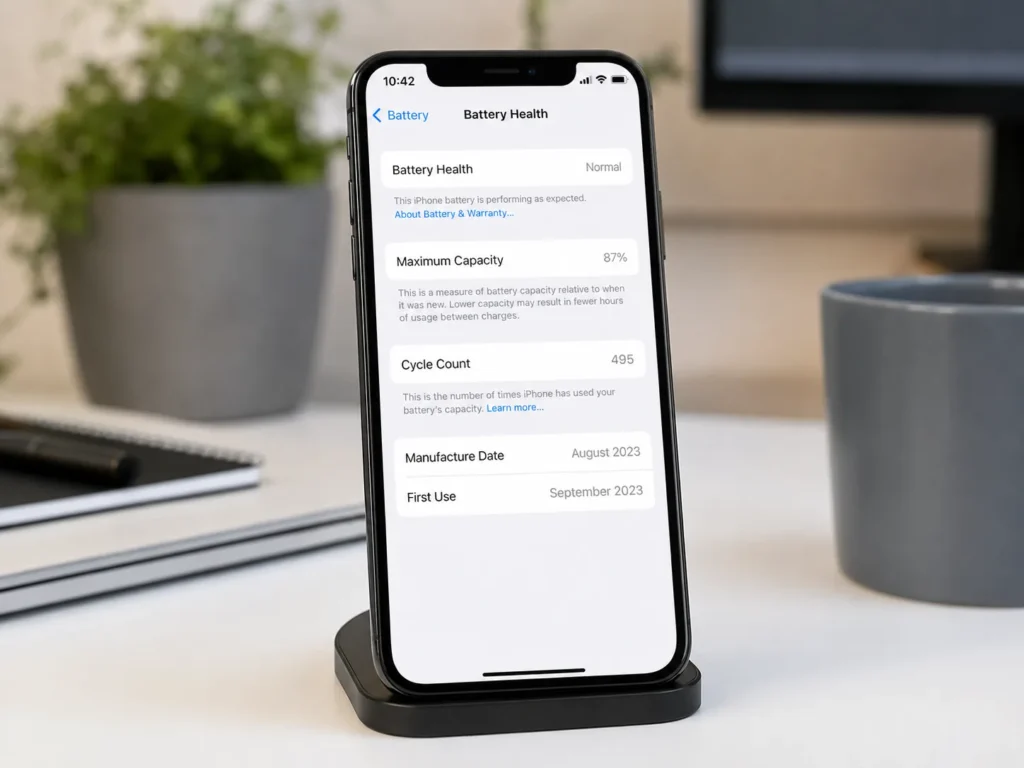
Battery Health is one of the most useful places to start. It helps show whether the battery is still performing normally or whether replacement may be recommended.
To check battery health:
- Open Settings.
- Tap Battery.
- Tap Battery Health & Charging, or Battery Health depending on your iOS version and iPhone model.
- Check Maximum Capacity.
- Check for any service or performance messages.
Maximum Capacity shows how much charge the battery can hold compared with when it was new. A lower number generally means shorter battery life. But do not look at the number alone. The real question is whether the phone still performs well for your daily use.
| Battery Health Clue | What It Suggests | What to Do Next |
|---|---|---|
| High maximum capacity and normal use | The battery may still be healthy | Check apps, settings, signal, and background activity |
| Lower maximum capacity with fast drain | The battery may be aging | Consider battery diagnosis |
| Service or replacement recommendation | Battery performance may be degraded | Battery replacement may be needed |
| Battery jumps or shuts down unexpectedly | Battery may not be delivering stable power | Get the iPhone checked |
| Screen lifting or phone swelling | Possible swollen battery | Stop using and get help quickly |
When Overnight Battery Drain Is Normal
Some overnight battery drain is normal. Your iPhone may still receive messages, stay connected to Wi-Fi, sync data, check notifications, and maintain background services. A small drop is not usually a major concern.
Overnight drain may be normal if:
- The phone dropped only a small amount.
- You recently updated iOS.
- You restored the iPhone from backup.
- Photos or iCloud are syncing.
- You have many notifications overnight.
- The phone was in an area with weaker signal.
The concern starts when the battery drops heavily every night, the phone gets warm while idle, or Battery Health shows degraded performance.
When Overnight Battery Drain Is Not Normal
Overnight drain is more concerning when the phone loses a large amount of battery while doing very little. If your iPhone drops from 80% to 20% overnight with no major background activity, something needs attention.
Signs the Battery May Need Replacement
- The battery drops heavily overnight every night.
- The iPhone does not last through normal daily use.
- Battery Health shows a service or replacement message.
- The phone shuts down unexpectedly.
- The battery percentage jumps around.
- The phone only works reliably while plugged in.
- The iPhone gets unusually warm when idle.
- The screen is lifting or the phone body looks swollen.
If these symptoms are present, adjusting settings may only delay the obvious. At that point, the phone may need battery service instead of another round of “turn off every feature and hope.”
Battery Drain vs Charging Problem
Battery drain and charging problems are connected, but they are not the same issue. Overnight drain means the phone loses power too quickly when idle. A charging problem means the phone has trouble gaining power when plugged in.
| Issue | Common Signs | Possible Cause |
|---|---|---|
| Battery draining overnight | Battery drops while phone is locked and idle | Background activity, weak signal, poor battery health, or internal issue |
| iPhone not charging properly | Battery does not increase when plugged in | Cable, adapter, charging port, battery, or charging circuit issue |
| Battery percentage jumps | Sudden drops or increases in battery percentage | Battery reporting issue or degraded battery |
| iPhone shuts down overnight | Phone is dead by morning even after enough charge | Battery health issue, app drain, or internal power problem |
If your iPhone drains overnight and also struggles to charge, the charging system should be checked. Profix Cell also provides iPhone charging port repair for phones with loose cables, dirty ports, intermittent charging, or charging failure.
Can Water Damage Cause Overnight Battery Drain?
Yes. Liquid damage can affect the battery, charging port, display, internal connectors, and logic board. A phone may still turn on after water exposure but develop battery drain later as corrosion forms inside.
Water damage may be involved if:
- The phone was exposed to rain, spills, steam, or moisture.
- The battery drain started after water exposure.
- The phone gets warm while idle.
- Charging became unreliable after moisture exposure.
- The screen, speakers, or buttons also started acting strange.
If moisture may be involved, avoid charging the phone and get it inspected. Profix Cell offers iPhone water damage repair for liquid exposure and related power issues.
Safe Checks to Try Before Replacing the Battery
Before deciding on battery replacement, try a few safe checks. These steps can help rule out app, setting, or temporary software issues.
- Check Battery usage in Settings.
- Look for apps with high background activity.
- Update iOS if an update is available.
- Restart the iPhone.
- Turn off Background App Refresh for high-drain apps.
- Review Location Services.
- Reduce unnecessary notifications.
- Test one night with Bluetooth off.
- Test one night in an area with stronger signal.
- Check Battery Health & Charging.
If the drain improves after adjusting one app or setting, the battery may not need replacement yet. If nothing changes and Battery Health is degraded, replacement becomes more likely.
What to Expect During an iPhone Battery Diagnosis
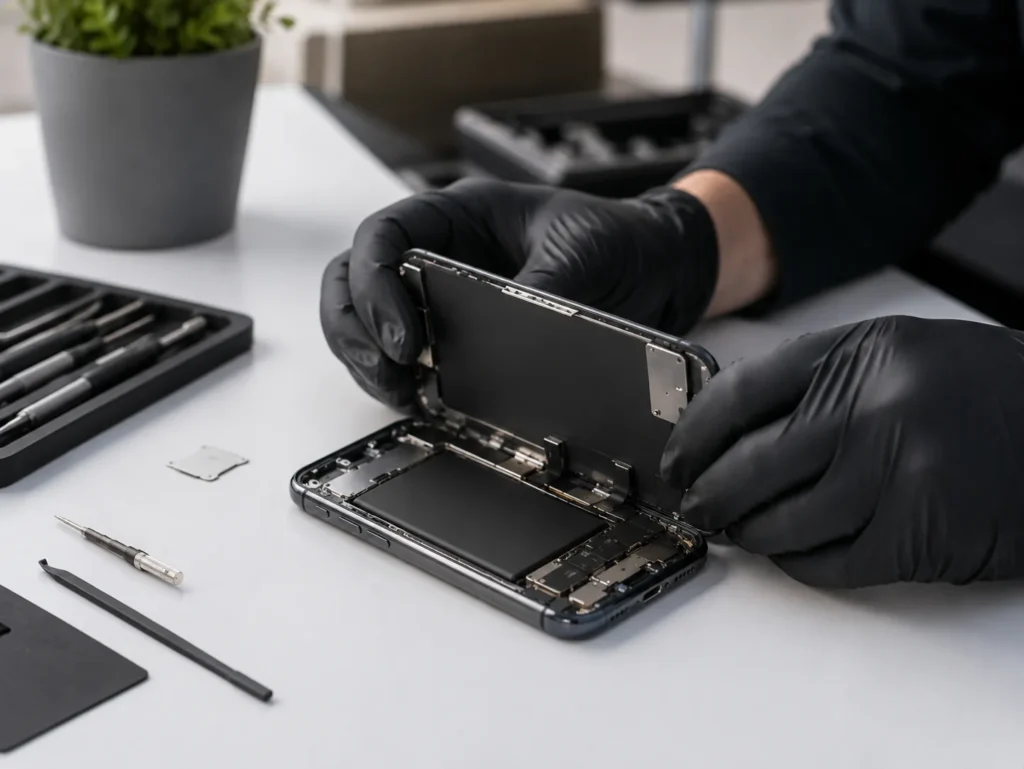
A battery diagnosis helps confirm whether the battery is the real issue. This matters because replacing the battery will not fix overnight drain if the actual cause is a faulty app, charging issue, liquid damage, or board-level fault.
A technician may check:
- Battery health condition
- Battery drain behaviour
- Charging performance
- Charging port condition
- Signs of battery swelling
- Water damage indicators
- Whether the phone gets warm while idle
- Whether the phone shuts down unexpectedly
- Whether internal power components need inspection
This is the difference between replacing parts and actually solving the problem. A weak battery may be the issue, but diagnosis helps make sure there is not a bigger problem hiding behind it.
Possible Repair Options
The right repair depends on the cause of the overnight drain. In many cases, the issue is simple. In others, the battery or internal components may need attention.
| Possible Cause | Likely Solution |
|---|---|
| High background app activity | Adjust app permissions, update apps, or remove the problem app |
| Weak cellular signal | Improve signal conditions or test with Airplane Mode overnight |
| iCloud or update activity | Allow background tasks to finish and monitor battery usage |
| Degraded battery health | Battery replacement |
| Charging issue | Charging port, cable, or internal charging diagnosis |
| Water damage | Liquid damage inspection and repair if possible |
| Internal power issue | Advanced diagnosis and repair options |
How to Reduce Overnight Battery Drain
Even if your battery is still healthy, small changes can help reduce overnight drain.
- Charge the phone with a reliable cable and adapter.
- Keep iOS updated.
- Review Battery usage weekly if drain is unusual.
- Limit Background App Refresh for apps that do not need it.
- Use Focus mode overnight.
- Turn off unnecessary notifications while sleeping.
- Keep the phone in an area with decent Wi-Fi and signal.
- Review Location Services for apps set to Always.
- Disconnect unused Bluetooth accessories.
- Do not ignore battery service messages.
These steps can help if the battery is still healthy. But if the battery is already degraded, settings can only do so much. A tired battery does not become new because notifications are quieter.
Why Choose Profix Cell for iPhone Battery Replacement?
Profix Cell helps Toronto customers with iPhone battery drain, charging issues, water damage, screen problems, and other repair needs. If your iPhone battery drains overnight, a proper diagnosis can help confirm whether the issue is the battery or something else.
The goal is practical: find the cause, explain the repair options, and avoid replacing parts blindly. If the battery is weak, replacement may restore better battery life. If the issue is related to charging, liquid damage, or an internal component, diagnosis can help point to the right fix.
Overnight battery drain is easy to ignore at first. But when your iPhone no longer lasts through the day or wakes up almost dead, it is time to get it checked.
Frequently Asked Questions About iPhone Battery Draining Overnight
Why is my iPhone battery draining overnight?
Your iPhone battery may drain overnight because of background app activity, poor signal, iCloud syncing, software updates, notifications, Bluetooth accessories, degraded battery health, liquid damage, or internal power issues.
How much overnight battery drain is normal?
A small amount of overnight battery drain can be normal because the phone still receives notifications, syncs data, and stays connected. Heavy drain every night is not normal and should be checked.
How do I find out which app is draining my battery?
Go to Settings, then Battery. Review battery usage by app and look for high background activity, screen-off usage, or Battery Insights that explain unusual drain.
Does Battery Health show if I need a new battery?
Battery Health can show maximum capacity and service messages. If it recommends service or the battery no longer lasts through normal use, replacement may be needed.
Can weak signal drain my iPhone battery overnight?
Yes. If your iPhone is in an area with poor cellular signal, it may use more power trying to stay connected. This can contribute to overnight drain.
Can water damage cause battery drain?
Yes. Liquid damage can affect the battery, charging port, internal connectors, and logic board. If battery drain started after moisture exposure, the phone should be inspected.
Should I replace my iPhone battery if it drains overnight?
Not always. First check Battery usage, Battery Health, apps, signal, updates, and settings. If the battery health is degraded or the phone still drains heavily during normal use, replacement may be the right option.
Is it worth replacing an iPhone battery?
In many cases, yes. If the phone is otherwise working well, a battery replacement can extend its useful life and make it reliable again. The best answer depends on the phone model, condition, and diagnosis.
Get Your iPhone Battery Checked in Toronto
If your iPhone battery drains overnight, do not assume the battery is the only possible cause. Start by checking Battery usage, Battery Health, apps, signal, and background activity. If the problem continues, the battery may be worn out or the phone may have a deeper power issue.
For professional help, visit Profix Cell in Toronto. The team can inspect your iPhone, check the likely cause of the overnight battery drain, and recommend the most practical repair option for your device.