
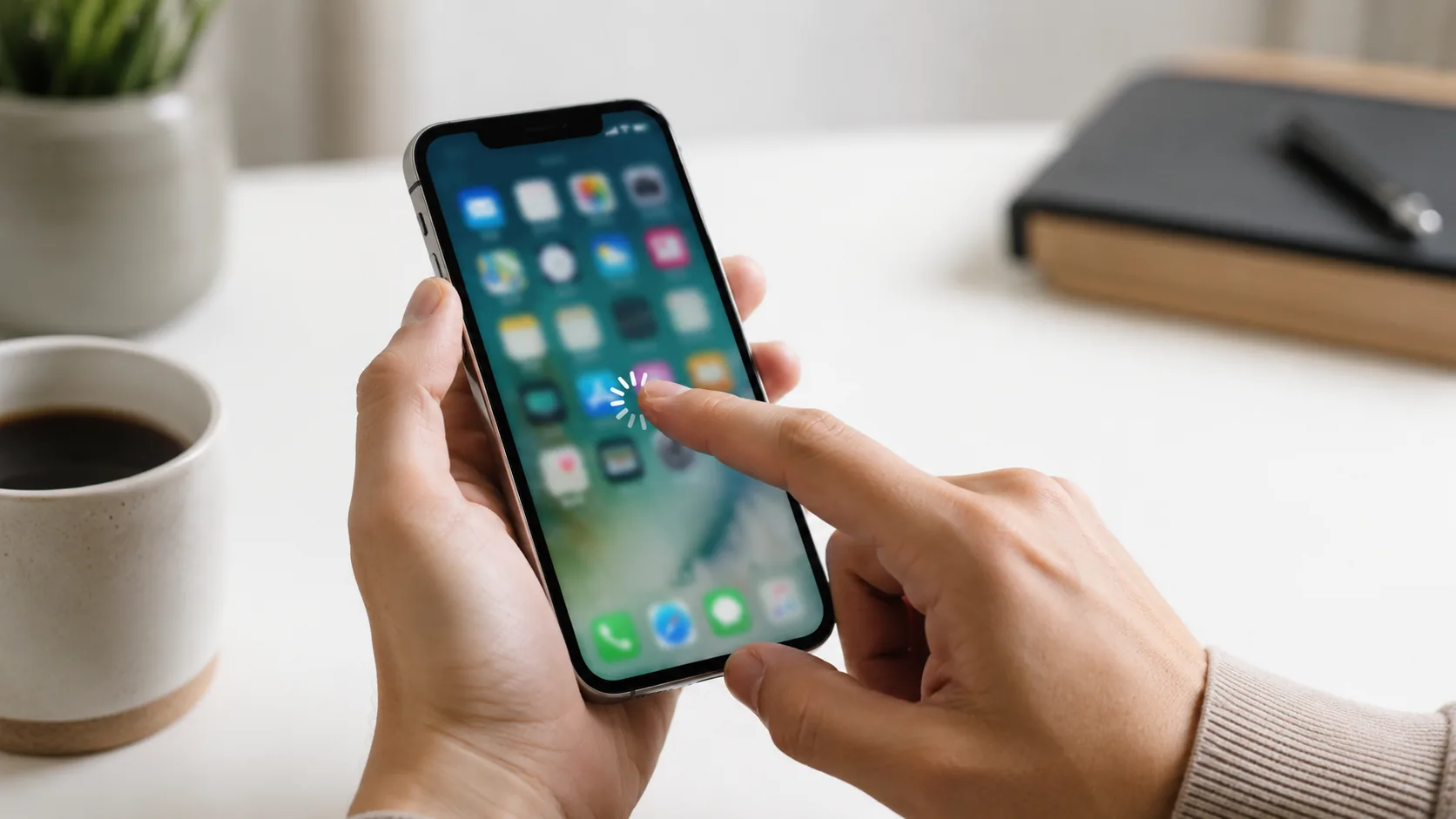
An iPhone screen that will not respond to touch can be seriously frustrating. You tap, swipe, press, clean the screen, lock it, unlock it, and still nothing. Sometimes only part of the screen stops working. Other times the whole screen freezes, delays, jumps, or starts pressing things by itself like it has entered its villain era.
The good news is that an iPhone touch screen not working does not always mean the phone is completely broken. In some cases, the issue can come from a dirty screen, screen protector, software glitch, frozen app, water on the display, or connected accessory. In other cases, it may point to physical screen damage, LCD failure, water damage, battery swelling, connector problems, or a deeper internal issue.
This guide explains the most common reasons your iPhone touch screen may stop working, what you can safely check first, when professional diagnosis is recommended, and what repair options may be available. If your iPhone screen is not responding properly, Profix Cell provides professional iPhone repair in Toronto, including touch screen issues, broken screens, water damage, battery problems, and power-related repairs.
Common Signs of an iPhone Touch Screen Problem
Touch screen issues can show up in different ways. Some are obvious, like the phone not responding at all. Others are more subtle, like delayed touch response, random taps, or one section of the screen not working.
| What You Notice | What It Could Mean |
|---|---|
| The entire screen does not respond | Possible software freeze, screen failure, display connector issue, or internal hardware problem |
| Only part of the screen does not work | Possible damaged touch layer, cracked screen, LCD issue, or pressure damage |
| The screen responds slowly | Possible software issue, storage overload, app freeze, or display problem |
| The screen taps by itself | Possible screen damage, water exposure, poor screen protector fit, or faulty display |
| Touch stops after a drop | Possible cracked screen, loose internal connector, or display assembly damage |
| Touch stops after water exposure | Possible moisture, corrosion, screen damage, or internal liquid damage |
The pattern matters. A screen that stops responding only inside one app may have a different issue than a screen that does not respond even after restarting. A phone that stopped working after a drop or spill should be treated more seriously than one that briefly froze during normal use.
Start With the Safe Checks First
Before assuming the screen needs replacement, start with the simple checks. Apple recommends restarting the iPhone, making sure the screen is clean and free of debris or water, and disconnecting Lightning or USB-C accessories if the screen is not working properly. You can read Apple’s guidance here: If the screen is not working on your iPhone or iPad.
These steps will not fix physical screen damage, but they can help rule out basic issues. Sometimes the screen is not broken. It is just dealing with moisture, dirt, a bad screen protector, an app crash, or an accessory conflict.
Try These First
- Clean the screen with a soft, dry, lint-free cloth.
- Remove water, oil, dust, or debris from the screen.
- Disconnect chargers, adapters, headphones, and accessories.
- Remove the case if it presses against the screen edges.
- Check whether the screen protector is cracked, lifted, or too thick.
- Restart the iPhone if the screen responds enough to do so.
- If the iPhone is frozen, try a force restart using the physical buttons.
If the screen starts working again after cleaning, removing accessories, or restarting, the issue may have been temporary. If the problem keeps coming back, appears after damage, or affects only part of the screen, the phone should be checked.
Common Reasons an iPhone Touch Screen Stops Working
An iPhone touch screen can fail for several reasons. Some are simple and temporary. Others require repair. The goal is to understand what type of issue you may be dealing with before replacing random parts.
1. Dirty, Wet, or Oily Screen
Touch screens work best when the glass is clean and dry. Water, oil, lotion, dust, food residue, or pocket lint can interfere with touch response. This can make the screen feel delayed, inaccurate, or completely unresponsive in certain areas.
This is one of the easiest things to check. Wipe the screen gently with a soft, dry, lint-free cloth. Avoid spraying liquid directly onto the phone. Also check your fingers. If your hands are wet or greasy, the screen may not respond properly.
If cleaning the screen fixes the issue, you are good. If not, keep going.
2. Screen Protector or Case Interference
A screen protector can sometimes cause touch problems, especially if it is cracked, lifted, too thick, poorly installed, or trapping moisture underneath. A tight case can also press against the edge of the screen and affect touch response.
Try removing the case first. If the issue continues, inspect the screen protector. Look for bubbles, cracks, peeling corners, or trapped moisture. If the touch problem started right after installing a new screen protector, that is a big clue.
Do not forcefully peel anything if the actual iPhone screen is already cracked. If the glass is damaged, removing a protector can sometimes pull loose glass with it. That is a tiny nightmare, respectfully.
3. Software Freeze or App Glitch
Sometimes the screen itself is fine, but iOS or an app freezes. This can make it look like the touch screen has stopped working. You may notice the screen is stuck on one app, the keyboard will not respond, or swipes do nothing.
If the phone is only frozen inside one app, try closing the app if possible. If the whole phone is not responding, Apple recommends a force restart when an iPhone is not responding and cannot be turned off normally. You can review Apple’s instructions here: Force restart iPhone.
A force restart does not erase your data. It simply forces the phone to restart using the physical buttons. If the touch screen works normally after the restart, the issue may have been software-related. If it comes back, especially after drops or water exposure, it may be hardware-related.
4. iOS Update or Software Bug
Touch issues can sometimes appear after an iOS update, app update, or failed software process. The screen may lag, freeze, or respond inconsistently. This does not automatically mean the screen needs replacement.
Before repair, it may be worth checking for available software updates, restarting the device, and removing recently installed apps that may be causing freezing. If the phone has very little storage available, that can also make performance worse.
Software issues are more likely if:
- The phone was not dropped.
- There is no visible screen damage.
- The problem started after an update.
- The issue happens mostly in one app.
- The touch works again after a restart.
Hardware issues are more likely if the touch problem started after a drop, water exposure, screen crack, or repair attempt.
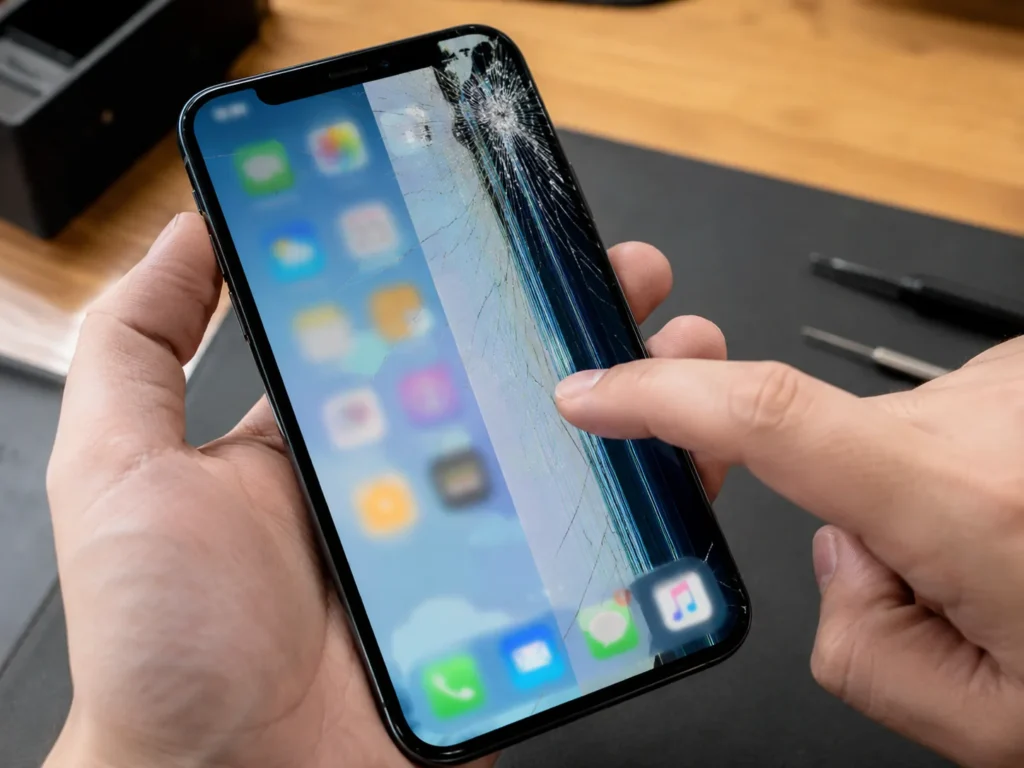
5. Cracked Screen or Damaged Touch Layer
A cracked iPhone screen may still look usable, but the touch layer underneath can be damaged. Sometimes the display still lights up, but touch does not respond properly. Other times, only a strip or corner of the screen stops working.
Signs of screen-related touch damage include:
- Touch does not work in one area.
- The screen has cracks or impact marks.
- The display shows lines, dark spots, or flickering.
- Touch response became worse after a drop.
- The screen presses things by itself.
- The glass feels sharp, raised, or uneven.
If the screen is physically damaged, a professional iPhone touch screen repair may be needed. A proper diagnosis can confirm whether the issue is limited to the screen or connected to internal damage.
6. Water or Liquid Damage
Water and touch screens do not mix well. Moisture on the surface can interfere with touch. Liquid inside the phone can do much more damage. Even if the iPhone is marketed as water resistant, that does not mean it is waterproof forever. Seals can wear down, cracks can let liquid in, and water exposure can still cause long-term problems.
Liquid can affect the screen, battery, charging port, buttons, cameras, speakers, and internal board. Touch problems after water exposure may appear right away or later as corrosion develops.
If your iPhone touch screen stopped working after a spill, rain exposure, sink drop, pool splash, or moisture inside the case, avoid charging it and bring it in for iPhone water damage repair. The issue may not be only the screen.
7. Battery Swelling or Internal Pressure
A swollen battery can push against the screen from inside the iPhone. This can cause touch problems, screen lifting, display separation, pressure marks, or uneven glass. It can also make the phone feel unsafe to use.
Signs of possible battery swelling include:
- The screen is lifting from the frame.
- There is a gap between the screen and body.
- The phone feels thicker or uneven.
- The screen has pressure marks.
- The battery drains quickly or the phone shuts down randomly.
If you suspect battery swelling, stop using the phone and do not press the screen back into place. A professional iPhone battery replacement may be needed if the battery is swollen, weak, or unsafe.
8. Internal Connector or Board-Level Issue
The iPhone display connects internally to the logic board. A hard drop, poor repair attempt, water exposure, or internal component issue can affect the connection between the screen and the phone.
This can cause no touch, partial touch, flickering, black screen, or ghost touch. In some cases, replacing the screen is enough. In other cases, the issue may be with the connector, board, or related components.
This is why diagnosis matters. If the problem is not the screen itself, replacing the screen alone may not solve it.
Quick Troubleshooting Table
Use this table as a simple guide before bringing the iPhone in. If the phone was dropped, exposed to liquid, or physically damaged, skip the guessing and get it checked.
| Problem | Safe Check | When to Get It Checked |
|---|---|---|
| Screen not responding at all | Clean the screen, disconnect accessories, force restart | If it still does not respond after restart |
| Only part of the screen works | Remove case and inspect screen protector | If the issue stays in the same area |
| Touch is delayed or inaccurate | Restart, close apps, check storage, update iOS | If it happens during basic use |
| Ghost touch or random tapping | Clean screen and remove screen protector if safe | If it continues or started after a drop |
| Touch stopped after water exposure | Stop using and avoid charging | Immediately, because liquid damage can worsen |
| Screen lifting from the frame | Do not press it back down | Quickly, because battery swelling may be involved |
Can You Fix an iPhone Touch Screen Yourself?
You can safely try basic steps like cleaning the screen, removing accessories, restarting the phone, checking the screen protector, and updating iOS. Those steps are low risk and may fix temporary software or surface-related touch issues.
But opening the iPhone, replacing the screen, disconnecting the battery, cleaning liquid damage, or checking board-level issues is a different story. Modern iPhones are tightly built, and internal parts are delicate. A DIY screen repair can damage Face ID components, cables, connectors, seals, or the display itself.
DIY repairs can also become more expensive if the wrong part is replaced. If the touch issue is caused by water damage or a board-level fault, a screen replacement alone may not solve the problem.
Basic checks are fine. Internal repair is where the plot gets expensive.
When You Should Stop Troubleshooting and Bring It In
There is a point where testing the phone over and over does not help. If the screen problem is consistent, physical, or connected to damage, professional diagnosis is the better move.
Bring your iPhone in if:
- The screen does not respond after a force restart.
- Only one part of the screen works.
- The screen has cracks, lines, black spots, or flickering.
- The phone was dropped before the touch issue started.
- The screen taps by itself or opens apps randomly.
- The issue started after water exposure.
- The screen is lifting from the frame.
- The phone gets hot or shuts down unexpectedly.
- You need the phone working reliably for calls, work, school, or daily use.
If the screen is black and the phone will not respond at all, the issue may involve power, battery, display, or board-level problems. Profix Cell also offers iPhone power issue repair for phones that will not turn on or respond normally.
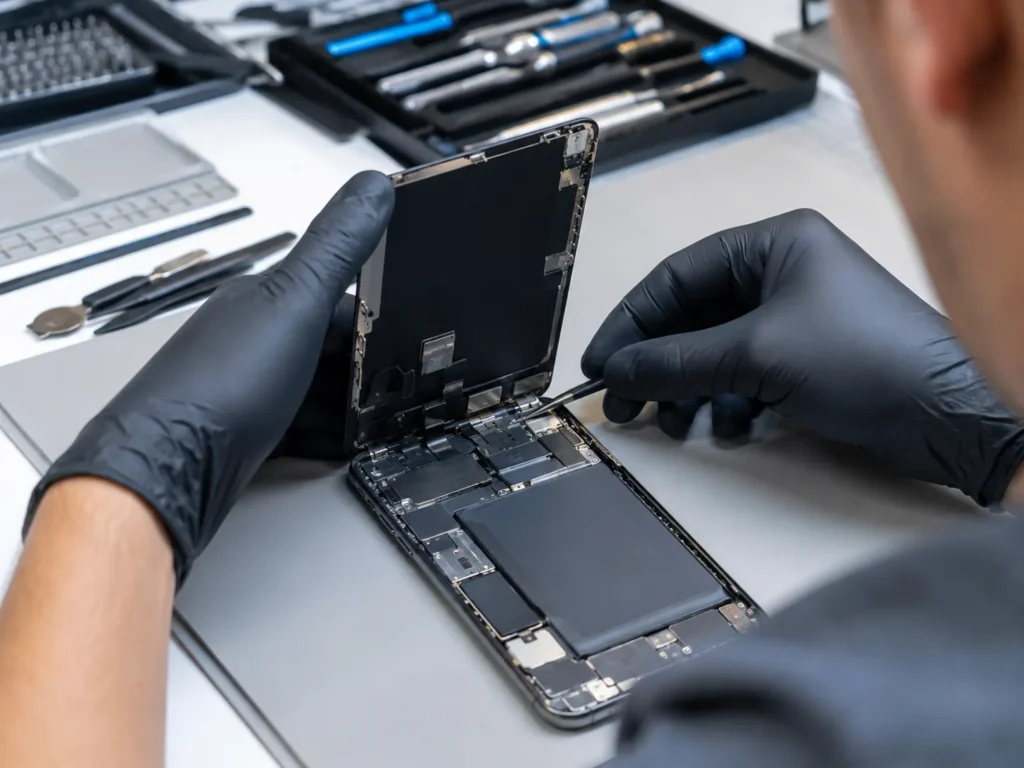
What to Expect During an iPhone Touch Screen Diagnosis
A proper diagnosis helps confirm whether the problem is software, the screen, the battery, liquid damage, or an internal connection. This matters because different causes can create similar symptoms.
A technician may check:
- Whether the screen responds in all areas
- Signs of cracked glass or LCD damage
- Ghost touch or random touch behaviour
- Screen protector or case pressure
- Water damage indicators
- Battery swelling or screen lifting
- Display connector condition
- Whether the phone powers on and charges normally
- Whether the issue appears after restart or only in certain apps
This is the difference between guessing and fixing. A touch problem can be caused by the screen, but it can also be caused by moisture, battery pressure, board damage, or software freezing.
Possible Repair Options
The right repair depends on what is causing the touch issue. Here are some common possibilities.
| Possible Cause | Likely Repair Option |
|---|---|
| Dirty or wet screen | Clean and dry the screen properly |
| Screen protector or case interference | Remove or replace the accessory |
| Software freeze or app issue | Restart, force restart, update iOS, or troubleshoot apps |
| Cracked screen or damaged touch layer | Touch screen or display replacement |
| Water damage | Liquid damage inspection and repair if possible |
| Swollen battery | Battery replacement and internal safety inspection |
| Internal connector or board issue | Advanced diagnosis and repair options |
Apple also has an iPhone screen service page where users can start troubleshooting or arrange screen repair through Apple. You can review it here: Apple Service and Repair for iPhone Screens. For local repair in Toronto, Profix Cell can inspect the device and explain the most practical repair path.
How to Reduce iPhone Touch Screen Problems in the Future
Not every touch screen issue can be prevented, but good habits can reduce the risk.
- Use a properly fitted screen protector.
- Replace cracked screen protectors quickly.
- Use a protective case that does not press against the screen.
- Keep the screen clean and dry.
- Avoid using the phone with wet hands.
- Do not keep using the phone after liquid exposure.
- Do not ignore cracks, screen lifting, or ghost touch.
- Back up your iPhone regularly in case repair is needed.
The best time to fix touch issues is before they get worse. A small crack, occasional ghost touch, or one unresponsive area can turn into a phone that is difficult or impossible to use.
Why Choose Profix Cell for iPhone Touch Screen Repair?
Profix Cell helps Toronto customers with iPhone touch screen problems, cracked displays, water damage, battery issues, charging problems, and other repair needs. If your iPhone screen is not responding properly, getting it checked can help you avoid replacing parts blindly.
The goal is to confirm what is actually causing the issue. If the screen is damaged, repair may restore normal touch response. If the issue is caused by liquid damage, battery swelling, or an internal connection, diagnosis can point you toward the right repair option before the problem gets worse.
When your iPhone touch screen is not working, the phone becomes hard to use for almost everything. Calls, messages, maps, work apps, banking, photos, and basic settings all depend on reliable touch response. Getting the issue checked early can save time, stress, and possibly the phone itself.
Frequently Asked Questions About iPhone Touch Screen Problems
Why is my iPhone touch screen not working?
Your iPhone touch screen may not work because of a dirty screen, water on the display, screen protector issue, software freeze, cracked screen, damaged touch layer, water damage, battery swelling, or internal hardware issue.
What should I do first if my iPhone screen is not responding?
Clean and dry the screen, disconnect accessories, remove the case if needed, and restart the phone. If the phone is frozen and will not respond, try a force restart using the physical buttons.
Can a cracked screen cause touch problems?
Yes. A cracked screen can damage the touch layer underneath the glass. The display may still light up, but touch may stop working in certain areas or across the entire screen.
Why is only part of my iPhone screen not working?
If only part of the screen does not respond, the touch layer may be damaged in that area. This often happens after drops, pressure damage, cracks, or screen separation.
What is ghost touch on an iPhone?
Ghost touch means the screen acts like it is being touched when you are not touching it. It may open apps, type, scroll, or tap randomly. This can be caused by screen damage, moisture, poor screen protector fit, or hardware issues.
Can water damage make the touch screen stop working?
Yes. Water can affect the screen, connectors, battery, charging port, and logic board. Touch problems after water exposure should be checked quickly because corrosion can get worse over time.
Can a screen protector make the touch screen stop working?
Yes. A poor-quality, cracked, lifted, thick, or badly installed screen protector can affect touch response. If the issue started after installing a screen protector, remove or replace it if safe to do so.
Will replacing the screen fix the touch issue?
It depends on the cause. If the touch layer or display is damaged, screen replacement may fix it. If the issue is caused by water damage, battery swelling, or a board-level fault, more diagnosis may be needed.
Get Your iPhone Touch Screen Checked in Toronto
An iPhone touch screen that is not working can make the device almost impossible to use. Start with safe checks like cleaning the screen, removing accessories, and restarting the phone. If the problem continues, affects only part of the screen, started after a drop, or appeared after water exposure, get it checked before the damage gets worse.
For professional help, visit Profix Cell in Toronto. The team can inspect your iPhone, explain the likely cause, and recommend the most practical repair option for your device.